Getting Started in Crypto Trading Simulator
A practical first-session plan so the market does not outrun your rent money.
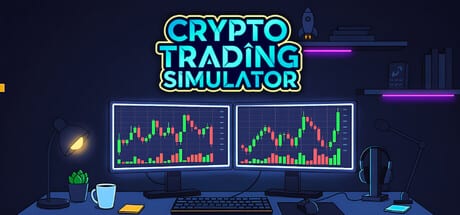
What you are walking into
Crypto Trading Simulator drops you into the fantasy of leaving the corporate grind—then immediately bills you for the privilege. You begin in a messy home office with a basic PC, a stack of living costs, and a market that reacts to simulated global drama. Early Access (live since 11 August 2026) includes spot trading across fourteen coins with limit/SL/TP orders, dynamic events, office progression, unlockable margin, mining with heat and power costs, staking, loans, and full market cycles. Named software bots and rival AI traders are still expanding. Treat this guide as onboarding for the live foundation, not every unfinished tool.
If you only remember one sentence: protect a cash buffer for bills before you chase a hero trade.
Demo versus Early Access
The Steam demo is a short 45–60 minute sample focused on core spot trading with a simplified fee and item set—see the dedicated Demo Guide. Early Access is the live branch with deeper economy systems and ongoing hotfixes such as Patch 0.1.1. Trying the demo first is smart if you want to feel the desk fantasy without committing. Official entry points are collected on the Links hub.
First-hour checklist
- Launch and orient — Learn where charts, wallet balances, bills, and the social feed live. Do not buy furniture yet.
- Write down your cash floor — Use the Bill Budget Planner or a notepad. Rent, electricity, internet, and food are not optional flavor text.
- Make a tiny first trade — Follow How to Trade with a small size so you learn fills and fees without emotional damage.
- Open the indicators once — Skim RSI, Bollinger Bands, and volume using How to Read Charts. You do not need mastery on day one; you need literacy.
- Read one social-feed cycle — Practice labeling posts as rumor, panic, or actionable using Social Feed and Events.
- Stop while ahead of bills — End the session with enough cash to cover the next costs. Victory is solvency, not a screenshot of a green candle.
- Defer margin and GPU envy — Read Margin Trading and How to Mine before stacking leverage or heat on day one.
- Set comfort controls — TAB for quest cards, Invert Y, ultrawide checks—see Controls and Settings.
The real core loop
Most players think the loop is “buy coin, sell higher.” The actual loop is:
Observe market and feed → size a spot decision → manage open risk → pay life costs → reinvest surplus into tools or office upgrades → repeat without revenge trading.
Skip any piece and the fantasy collapses. Ignore the feed and you will be late to events. Ignore bills and a decent portfolio still fails. Ignore upgrades forever and you may grind with a painful setup—but upgrading before risk habits exist just gives you a prettier room to panic in.
Controls, display, and comfort
Community threads already mention ultrawide resolutions, second-monitor wishes, and invert-mouse requests. Early Access means some display preferences may still be landing. For now:
- Prefer a stable FPS over decorative settings while learning.
- Keep UI scale readable; misreading a decimal hurts more than missing a particle effect.
- If mouse feel is wrong, check settings after each patch noted in Patch Notes.
- Confirm your PC against System Requirements before blaming the market for hitching.
Early goals that actually matter
Steam achievements hint at natural milestones: first steps, thousand-dollar trader, larger bankroll clubs, hot-hand streaks, and coin-specific believer badges. Use them as optional quests, not as excuses to over-leverage. A safer early goal stack looks like this:
- Survive seven in-game bill cycles without panic selling necessities.
- Complete ten spot trades where every entry had a predefined invalidation.
- Fund one productivity upgrade from the Upgrade Priority S-tier list.
- Journal two social-feed events you correctly ignored.
Common first-day failures
All-in on a rumor. The feed is a drama engine. Social Feed and Events teaches filters.
Spending the bill buffer on a chair. Read Office Upgrades and How to Survive Bills before the shop.
Unlocking margin on day one. Margin is earnable after basics—not a starter weapon. Stay within spot sizing from the Position Risk Planner until you clear the checklist in Margin Trading.
Assuming bots will save a bad habit. Software bots are still being balanced; they will amplify whatever discipline you already have.
Ignoring known rough edges. Patch 0.1.1 fixed hunger/thirst reset on load and several quest save bugs—still save consciously and re-check after reloads. Report clear repro steps via official channels.
Suggested learning path for week one
Day 1–2: this page + How to Trade + Controls and Settings.
Day 3: How to Read Charts + Market Cycles and Whales.
Day 4: How to Survive Bills + bill planner.
Day 5: Social Feed and Events.
Day 6: How to Mine or Office Upgrades—only with surplus.
Day 7: Trading Strategies and, if earned, Margin Trading.
When to read the review and roadmap
If a friend hyped features you cannot find, open the Early Access Review and Early Access Roadmap. Frustration often comes from mismatched expectations, not from a missing talent for trading.
Bottom line
Getting started well in Crypto Trading Simulator means accepting that you are both trader and household manager. Master a boring, solvent first week. The empire fantasy is downstream of that discipline. When you are ready for deeper technique, continue through the rest of the Guides hub and keep the Strategies hub nearby for ranked decisions.
Frequently Asked Questions
Quick answers to the most common questions.
Is Crypto Trading Simulator multiplayer?
No. It is a single-player Steam simulation. Compete against the market and your own bills, not other human players.
Should I buy upgrades immediately?
Not until you have a bill buffer. Follow [Upgrade Priority](/tier-list/upgrade-priority/) after [How to Survive Bills](/guides/how-to-survive-bills/).
Where do I go after the first hour?
Continue with [How to Trade](/guides/how-to-trade/) and [How to Read Charts](/guides/how-to-read-charts/), then practice with the [Tools hub](/tools/).